1
Copy the video URL
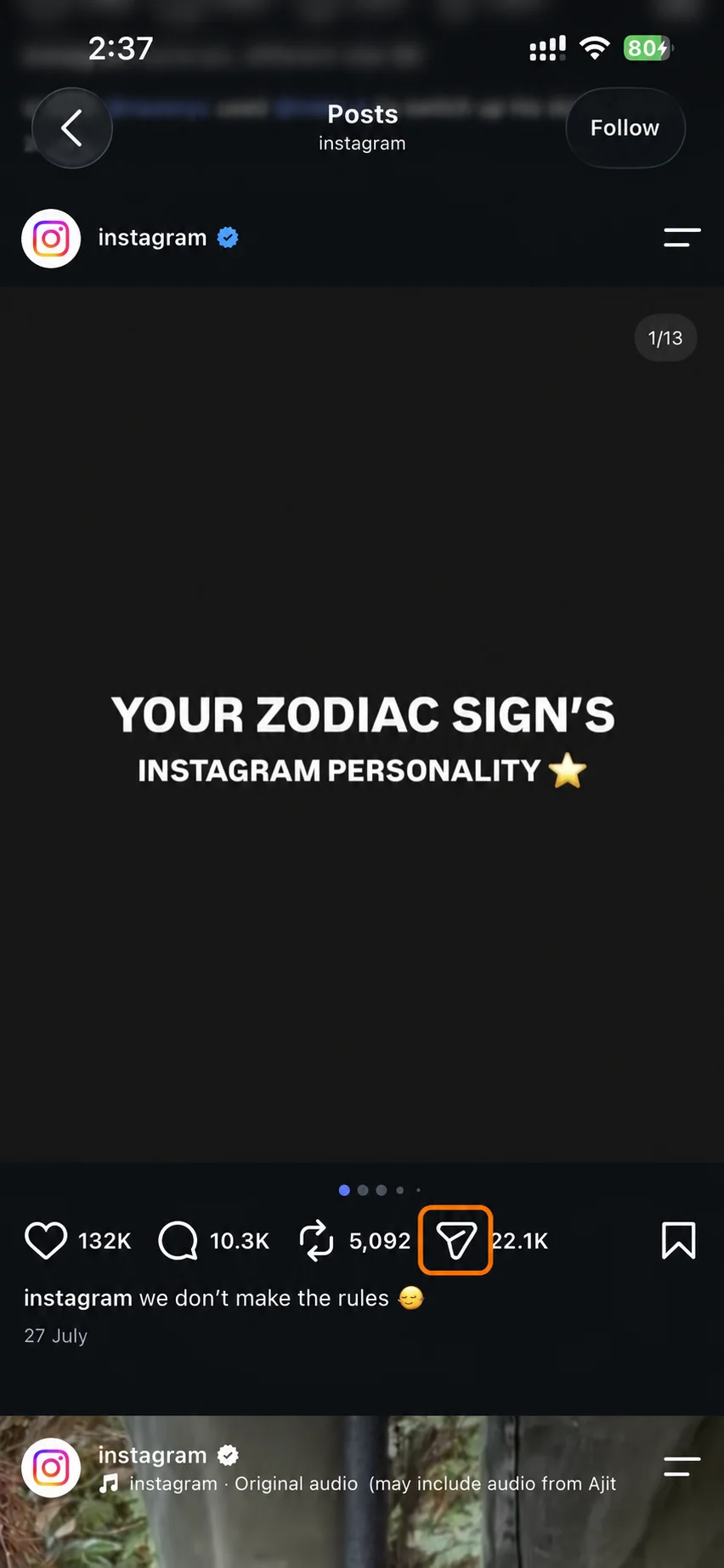
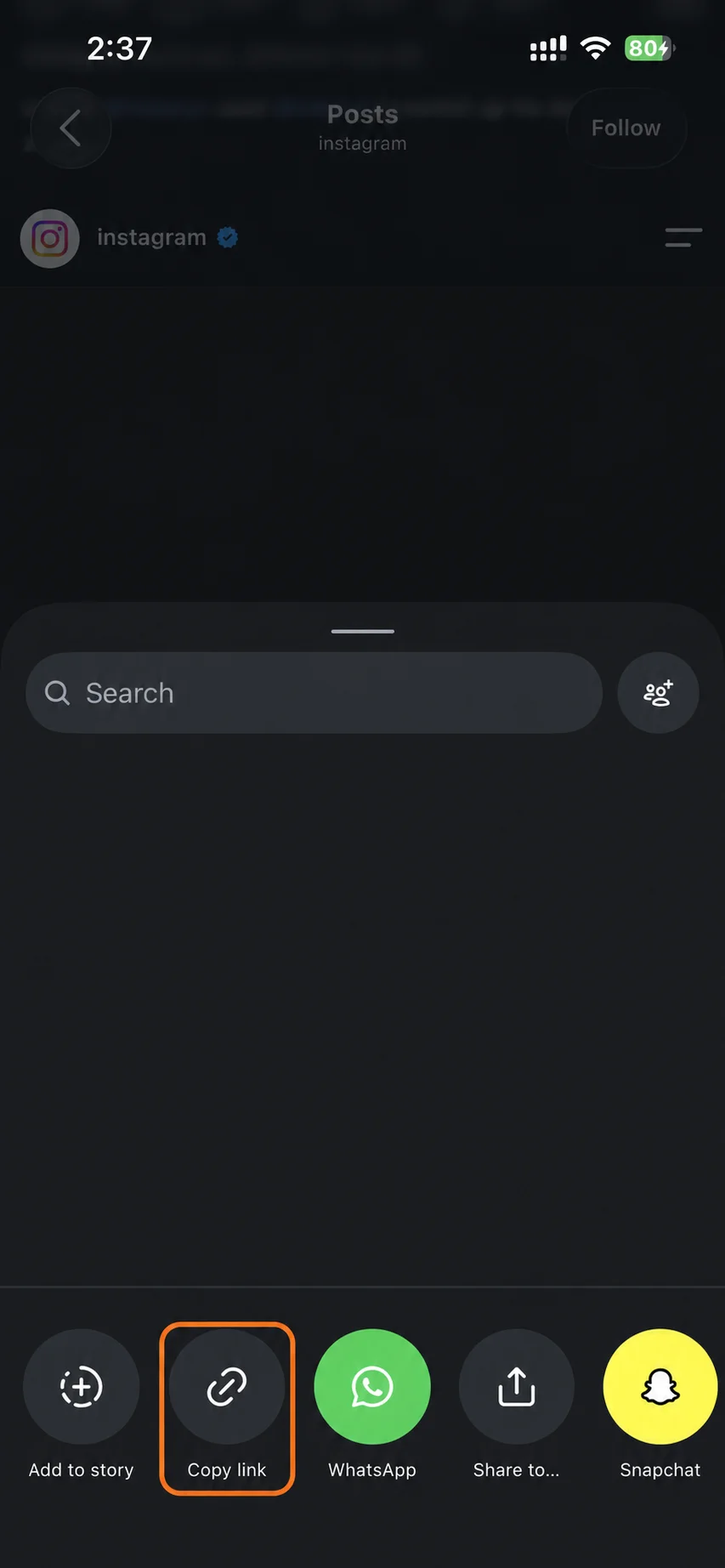
Open the video in Instagram. Tap Share or the three-dot menu, then tap Copy link. The account has to be public.
Works with feed videos and old IGTV links on iPhone, Android, Windows and Mac.
No platform login and no personal download library. PasteDL keeps limited technical logs for security.
Instagram video
Screen recordings look worse and pick up the app's buttons. Here is how to save Instagram videos straight from the post in three steps.
Open the video in Instagram. Tap Share or the three-dot menu, then tap Copy link. The account has to be public.
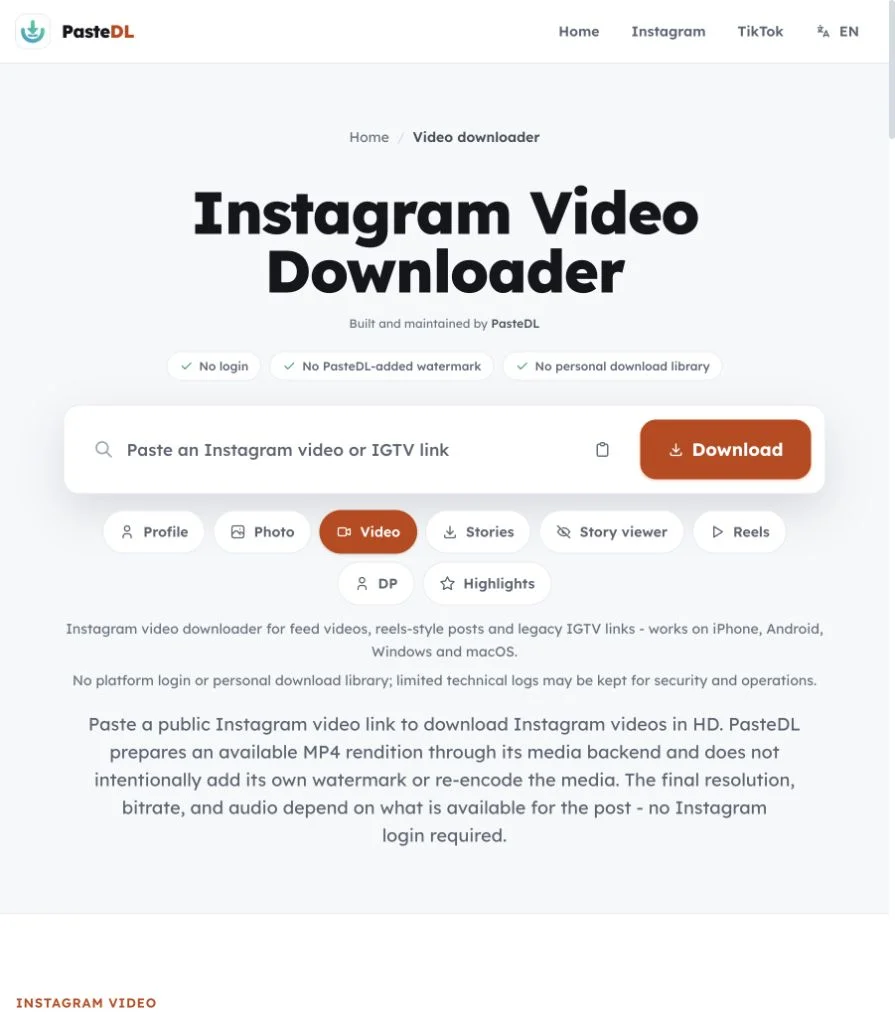
Paste the link into the box above. PasteDL spots the post type and gets the video ready. It never asks for your Instagram password.
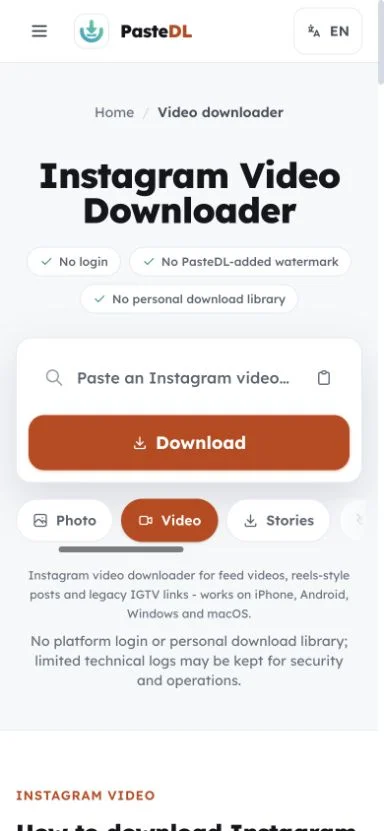
Tap Download to save the MP4 to your phone, tablet or computer. PasteDL adds no logo, intro or outro.
Instagram video
You get a real MP4 file from the post, not a screen recording.
Most public videos are ready in a few seconds. If a post has been removed or blocked, PasteDL tells you so instead of handing you a broken file.
You get the MP4 Instagram serves for the post, not a screen recording. PasteDL never upscales it or dresses it up as 4K.
The sound comes with the MP4 whenever Instagram includes it. If Instagram has muted a clip, no downloader can bring that sound back.
No Instagram password, no extension and no app. It works in any modern browser on iPhone, Android, Windows, macOS and Linux.
Instagram video
We tested hundreds of public posts while building this tool. The same clip can come in different versions depending on how it was posted: as a feed video, a Reels-style post or an old IGTV upload. Size and sound can differ between them.
PasteDL saves the version Instagram serves for the exact post you paste. It does not upscale the file or relabel it as 4K. Comparing tools? The PasteDL vs FastDL comparison shows what each one covers.
Feed posts and Reels can come in different sizes and shapes for the same clip. PasteDL saves whichever version your link points to. For links that open in the Reels player, the Instagram reels downloader is the better fit.
IGTV no longer exists as a separate app. Old IGTV links that are still public now behave like normal feed videos, so you can paste them here.
Videos save as MP4. If the version Instagram serves has no sound, the download won't have sound either, and no tool can add it back.
No tool can add detail that isn't in the file Instagram serves. A site that promises 4K from a 1080p post is upscaling or mislabelling. PasteDL never relabels the file.
Instagram video
Short answers before you save a public video.
Yes. The Instagram video downloader is free, with no signup, no daily cap and no premium tier. Paste a public video link, wait a few seconds, then tap Download. You don't need an Instagram account, and PasteDL adds no watermark. It works in any modern browser on iPhone, Android, Windows, macOS and Linux.
You get the best MP4 that Instagram serves for that post. Instagram compresses every upload, so the file can be smaller or softer than what the creator filmed. Feed videos, Reels-style posts and old IGTV links can also come in different sizes. PasteDL does not upscale the video or put a fake 4K label on it. A sharp post gives you a sharp file, and a blurry one stays blurry.
There are four. First, it only works with public videos. Private accounts, Close Friends posts and deleted or region-blocked videos are out of reach, and PasteDL does not try to get around those controls. Second, size, quality and sound follow what Instagram serves for the post. Third, PasteDL keeps limited technical logs for security and operations, and a CDN may cache files for a short time. Fourth, use it only for videos you own or have permission to save, and follow Instagram's rules and local law. PasteDL is not affiliated with Instagram or Meta. If the private video is yours, use Instagram's own Download Your Information tool.
No. The MP4 comes without the Instagram watermark, and PasteDL adds no watermark, logo, intro or outro of its own. If the creator put text, a logo or a border into the video itself, that stays, because it is part of the footage. Saving a video also does not give you the right to repost it. Ask the creator before you edit, share or sell it. This is general information, not legal advice.
You don't need an app. In Instagram, tap Share, then Copy link. Open this page in your phone's browser, paste the link and tap Download. On Android the MP4 usually lands in your Downloads folder and may show up in your gallery, depending on your settings. On iPhone, Safari saves it to the Files app. To move it to Photos, open the file, tap Share, then tap Save Video. Only videos from public accounts work.
Open instagram.com in your browser, open the video and copy the address from the address bar. Paste it into the box on this page and click Download. The MP4 goes to your usual Downloads folder. This works in Chrome, Edge, Firefox and Safari, and you don't have to install anything.
First, check that the account is public and the post still exists. A quick test is to open the link in a private browser window: if Instagram asks you to log in, the video is not public. If it plays there but fails here, wait a minute and try again, because Instagram sometimes slows down requests for a short time. Links to Reels also work here, but the Reels downloader is built for them.
Trust and safety
The three questions people ask most before using any Instagram downloader, answered plainly.
Use PasteDL only for Instagram content you own or have the creator's permission to download. A public post is still protected by copyright, and downloading it gives you no licence to republish, edit, sell or pass it off as your own. Instagram's rules and local law apply too, and they differ by country and by use. Get permission when you need it. This is general information, not legal advice.
PasteDL never asks you to log in or share your Instagram password or cookies, so it does not act through your account. That is not a promise about Instagram, which sets its own rules, logging and enforcement and can change them. Read Instagram's current terms, avoid automated or abusive use, and download only content you own or have permission to save.
You install nothing: no app, extension, APK or download manager. PasteDL's media backend handles the public link, and a CDN may cache the file for a short time while it is delivered. PasteDL keeps limited technical logs for security, abuse prevention, debugging and operations. Ads and consent services run on the site as described in the Privacy Policy. Old removal guides for an unrelated adware program with a similar name have nothing to do with this site.
Saving a file does not transfer any rights. The creator still owns what you downloaded - keep it to personal use unless you have their permission.
Continue with another PasteDL downloader for the same Instagram account.
Official references
Instagram policies and account controls
Last updated:
Built and maintained by PasteDL · support@pastedl.com