1
Copy the Reel link
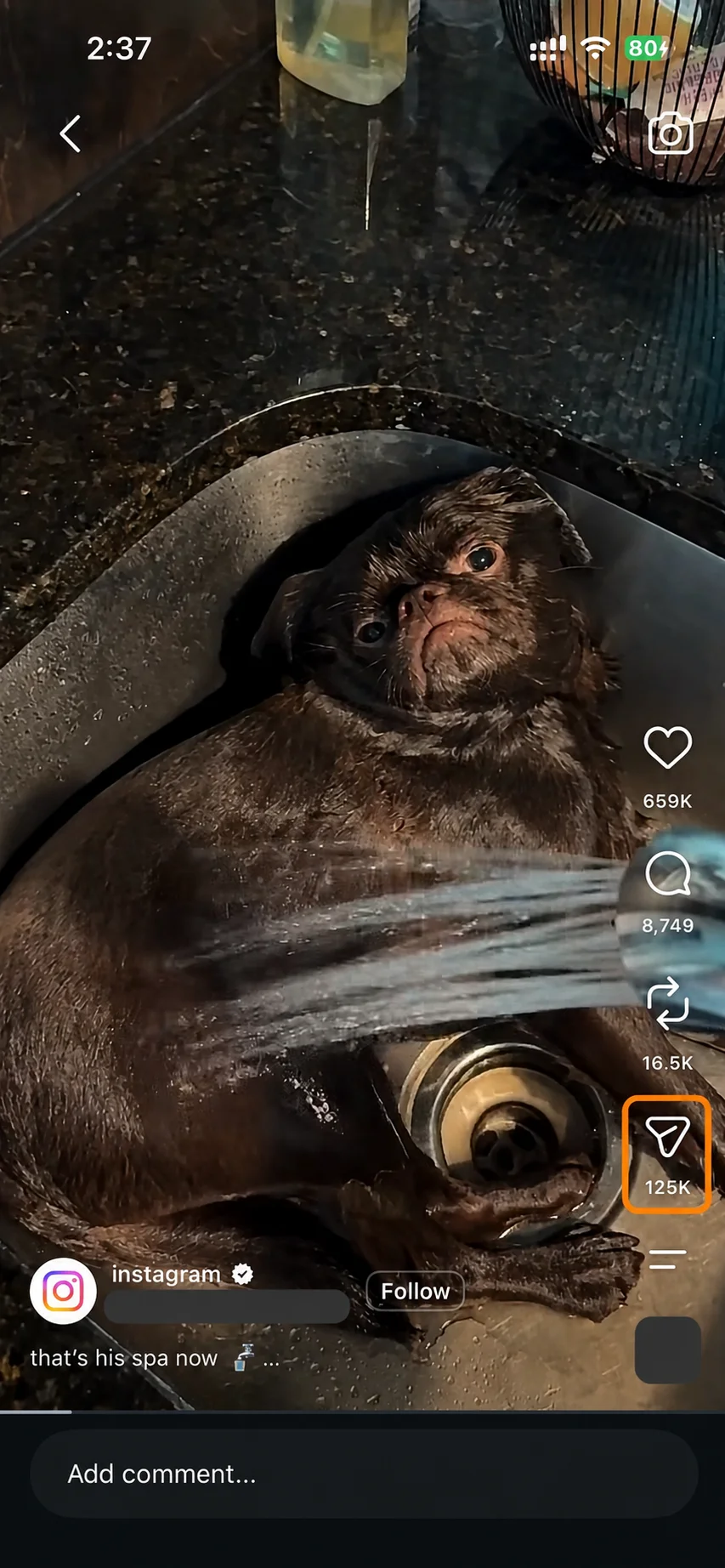
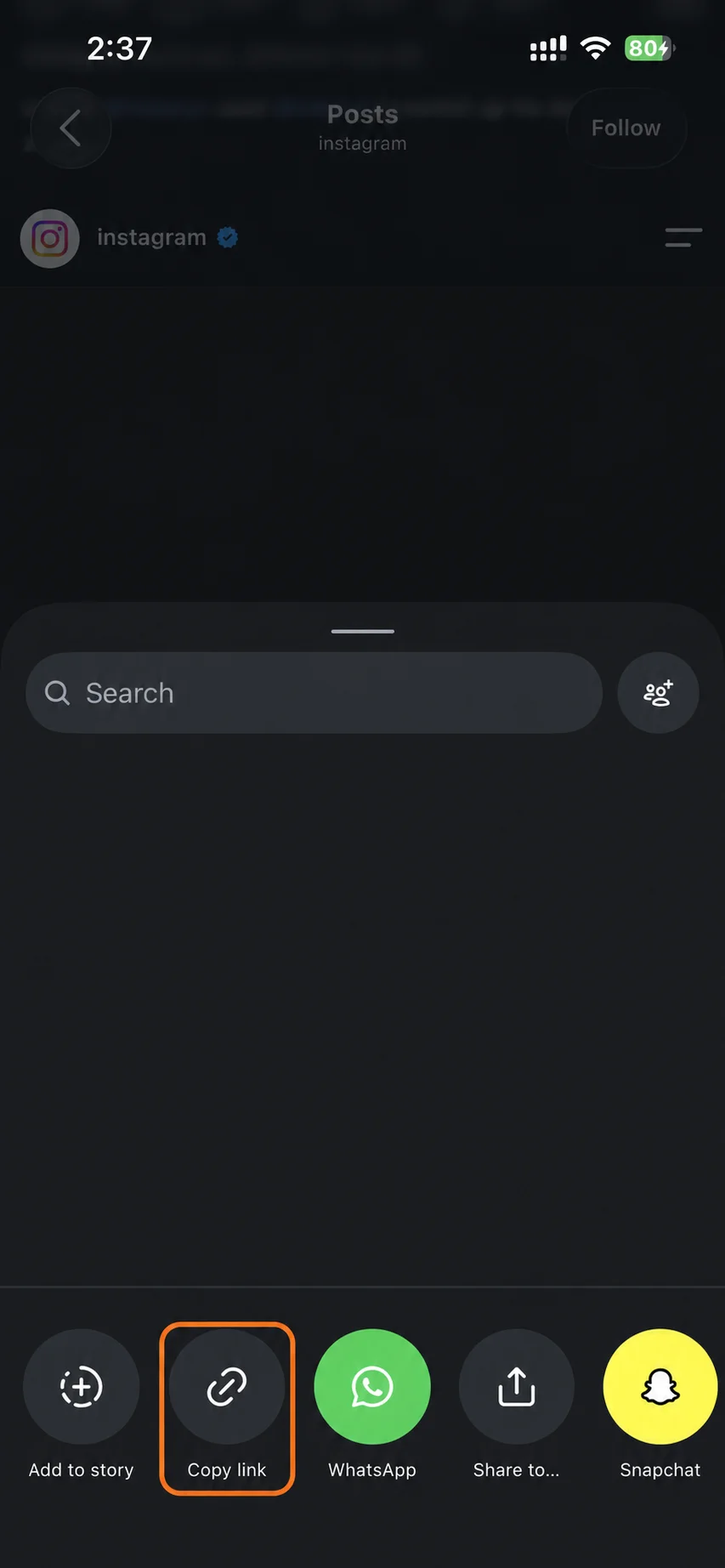
In Instagram, open the Reel, tap Share and then Copy link. The link looks like instagram.com/reel/ followed by a short code.
An IG reel downloader for single public Reels. Works on iPhone, Android, Windows and Mac.
No platform login and no personal download library. PasteDL keeps limited technical logs for security.
Instagram Reel
Reels move fast. Copy the link, paste it into PasteDL and save the MP4 before you lose track of it.
In Instagram, open the Reel, tap Share and then Copy link. The link looks like instagram.com/reel/ followed by a short code.
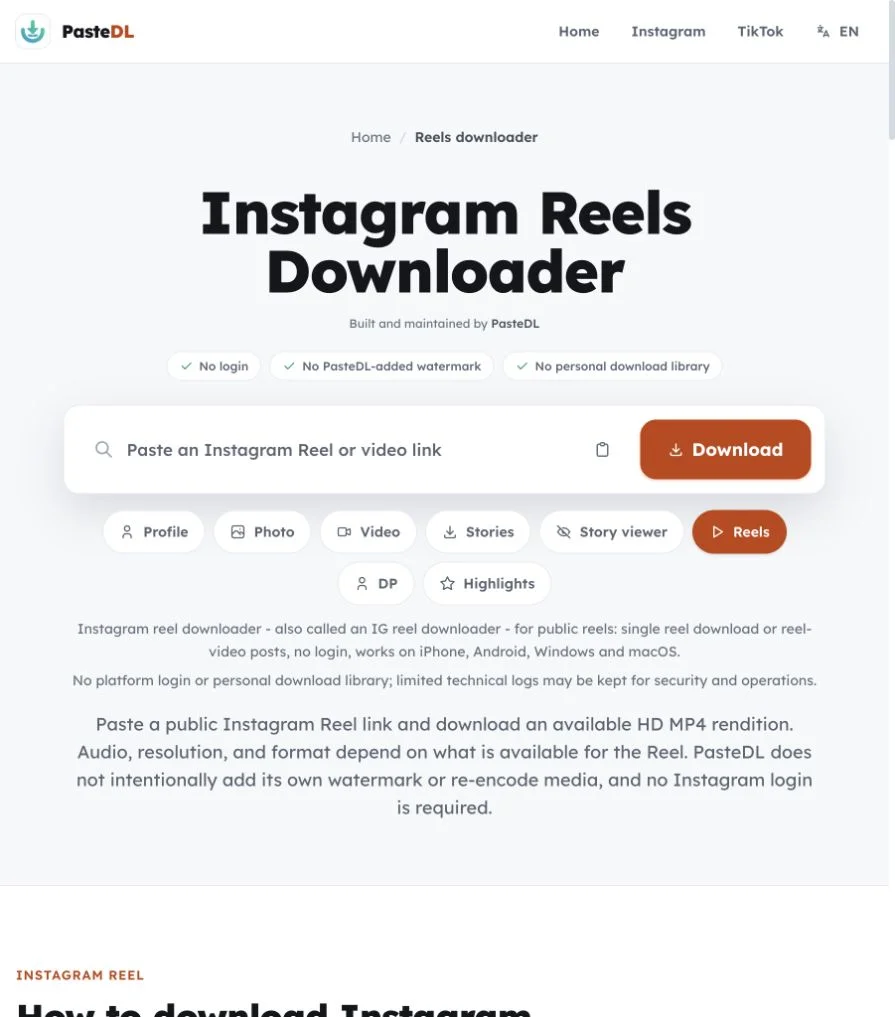
Paste the link into PasteDL. It finds the Reel and gets the vertical MP4 ready in a few seconds.
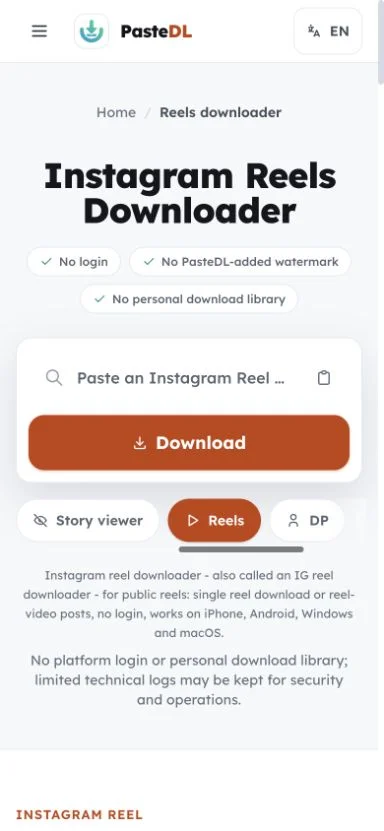
Tap Download to save the Reel to your device. The MP4 comes without a watermark, border or title screen.
Instagram Reel
Each Reel saves as a real MP4 file, not a screen recording.
Reels keep their vertical 9:16 shape, so the file is easy to watch, archive or edit later.
The MP4 includes the Reel's sound when Instagram serves it. If Instagram has removed licensed music, that track can't be restored.
A public Reel link is usually ready in a few seconds. No extension, no app store and no copy-paste tricks.
Works in Safari, Chrome, Edge and other modern browsers on iPhone, Android, tablets and computers. Files save like any other download.
Instagram Reel
The question we hear most is: why did my Reel save with no sound? Usually the Reel used licensed music. Instagram can leave that music out of the version it serves outside the app, so the file arrives muted. PasteDL can't rebuild a track that isn't in the file.
PasteDL never asks for your Instagram login. It saves the version Instagram serves, and that version can differ in sound or size from what you saw in the app. For a normal feed video rather than a Reel, the Instagram video downloader is the closer match.
Reels with original audio, a voiceover or the creator's own sound usually include it. Reels with a track from Instagram's music library can arrive muted when that track is licensed for in-app use only.
A Reel can also come in a different size or frame rate than you saw in the app. PasteDL saves what Instagram serves and never dresses it up.
If the sound is missing from the file, no downloader can get it back. We say so plainly rather than adding a substitute track.
If the Reel is yours, check your Instagram drafts or camera roll. Your own copy may still have the music that the public version lost.
Instagram Reel
What to know before saving a Reel.
Yes, when the sound is in the file Instagram serves. Reels with original audio, a voiceover or the creator's own sound usually include it. Reels that use a track from Instagram's music library can come through muted, because that music is often licensed for in-app playback only. PasteDL can't add back a track that isn't in the file.
No. There is no app, extension or APK to install, and no Instagram login. It works in Safari, Chrome, Edge and Firefox on iPhone, Android, Windows, macOS and Linux. That makes it handy on shared, work or school devices, and you never have to give a downloader app access to your files or contacts.
PasteDL does not use your Instagram account, password or cookies, so the download is not made from your profile. PasteDL cannot promise what Instagram itself records about a request, so read this as a description of how PasteDL works, not a guarantee.
Only public Reels work. Private accounts, deleted Reels and Reels blocked by age, region or copyright rules are out of reach, and PasteDL does not try to get around those controls. Size, frame rate and sound follow what Instagram serves for the Reel. PasteDL keeps limited technical logs for security and operations. Save only Reels you own or have permission to save, and follow Instagram's rules and local law. If a public Reel fails, wait a minute and try again. PasteDL is not affiliated with Instagram or Meta.
No app needed. In Instagram, tap Share on the Reel, then Copy link. Open this page in your phone's browser, paste the link and tap Download. On Android the MP4 usually goes to Downloads and may show up in your gallery, depending on your settings. On iPhone, Safari saves it to the Files app. Open it, tap Share, then tap Save Video to move it to Photos. Only public Reels work.
Open the Reel on instagram.com and copy the address from the address bar. Paste it into the box on this page and click Download. The MP4 lands in your Downloads folder. Chrome, Edge, Firefox and Safari all work, with nothing to install.
Reels are vertical videos with a 9:16 shape. A Reel file may be 1080x1920, but the exact size varies by post and by what Instagram serves. PasteDL keeps the size it gets and does not upscale it, so a sharp Reel stays sharp and a soft one stays soft.
Yes. Reels you save with PasteDL come without a watermark. Instagram only stamps its own mark on Reels saved with the Download button inside the app, and PasteDL adds nothing of its own. Anything the creator put into the video itself, like text or a logo, stays, because it is part of the footage.
Trust and safety
Before you paste a link, here is where PasteDL stands on copyright, account risk and installation.
Only if you own it, the creator has said yes, or you have another lawful basis to save it. Being public does not cancel copyright: a post you can see is still the creator's work, and a saved copy does not let you repost, edit, sell or claim it. Instagram's terms and your local law add their own conditions, which vary by country and by what you plan to do. Ask before you use it, and read this as general information, not legal advice.
PasteDL never asks for your Instagram login, password or cookies, so nothing it does runs through your account. That lowers the risk but does not remove it: Instagram sets and enforces its own rules, decides what it logs and who it notifies, and can change any of that without notice. Stay within Instagram's current terms, keep your use manual rather than automated, and save only what you own or have permission to keep.
There is nothing to install: no app, no browser extension, no APK and no download manager. The public link you paste goes to PasteDL's media backend, and the CDN that delivers the file can hold a short-lived cache of it. Limited technical logs are kept for security, abuse prevention, debugging and operations. Advertising and consent tools run on the site under the terms in the Privacy Policy. Any old removal guide for a similarly named adware program is about a different product.
Downloading a file gives you a copy, not the rights to it. The creator keeps ownership, so treat what you save as personal-use only unless they have agreed to more.
Continue with another PasteDL downloader for the same Instagram account.
Official references
Instagram policies and account controls
Last updated:
Built and maintained by PasteDL · support@pastedl.com